



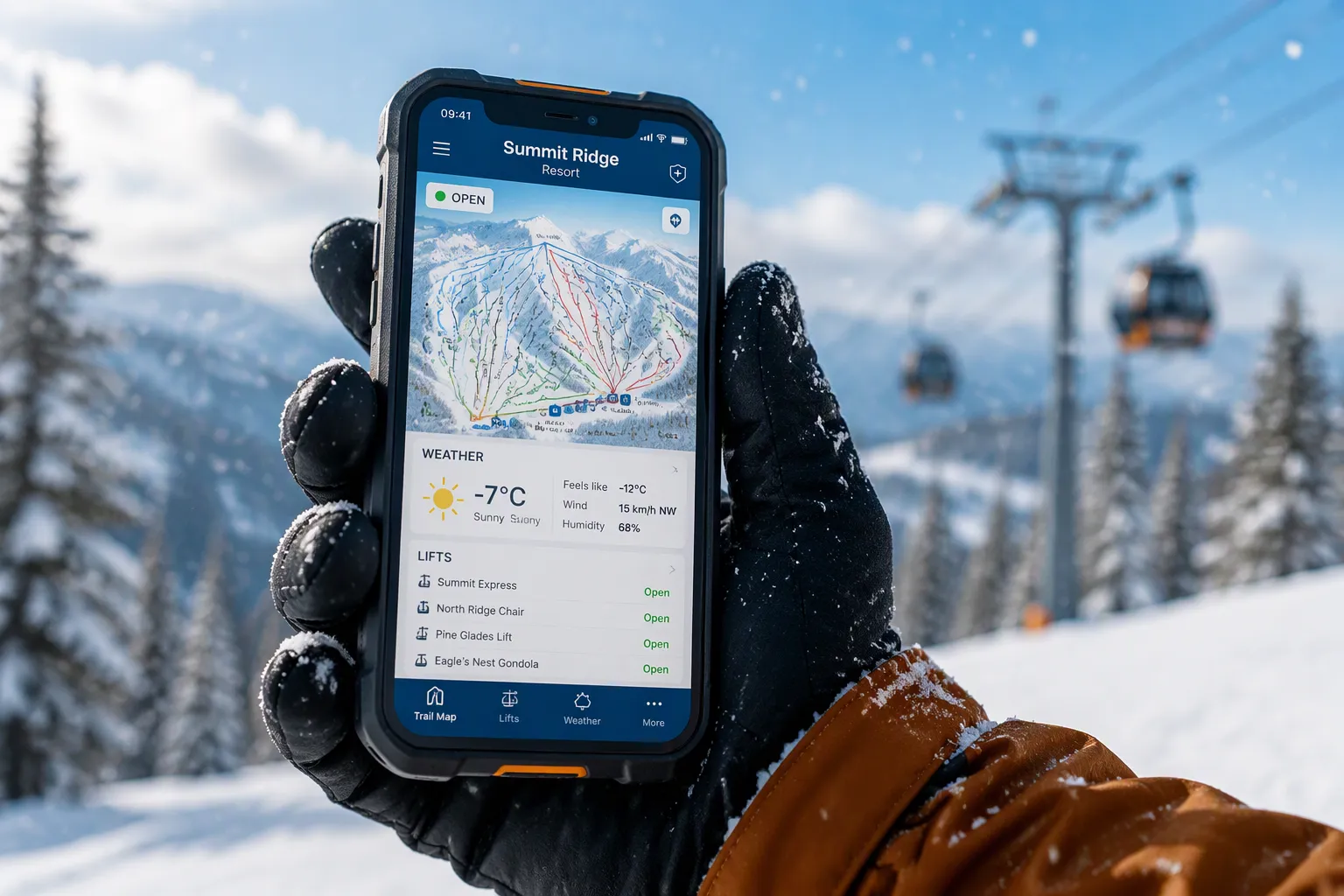
You snap a summit photo, check the trail map in flat light, take a call at the lift line, and watch your battery percentage fall in the freezing wind. A regular phone struggles here. Cold cuts battery capacity — at –18°C (0°F) you get roughly 50% of baseline, per the table below — while snow reaches ports, gloves block the screen, and glare washes out the display.
Temperature |
Battery Capacity |
|---|---|
27°C (80°F) |
100% (baseline) |
–18°C (0°F) |
~50% |
–20°C (−4°F) |
~50% |
This guide ranks the 7 must-have features of the best phone for skiing in priority order. You get a practical checklist: what to look for, why it matters, and how to weigh trade-offs for your camera use, display needs, and ski style.
Key Takeaways
Pick a phone that has a big battery and a stated cold-weather rating. This helps you avoid losing power on the slopes.
Choose a phone with a frame that can handle shocks and an IP68 or IP69K rating. That way it can survive drops and snow.
Try your gloves on the touchscreen before you buy. This makes sure you can use the phone without bare hands.
Save maps to use without internet and check your GPS accuracy. This helps you find your way safely when the signal drops.
Pick phone features that fit how you ski: tourers should put battery first, resort skiers should put camera first, and freeriders should look for a good balance.
Cold-Weather Battery Performance
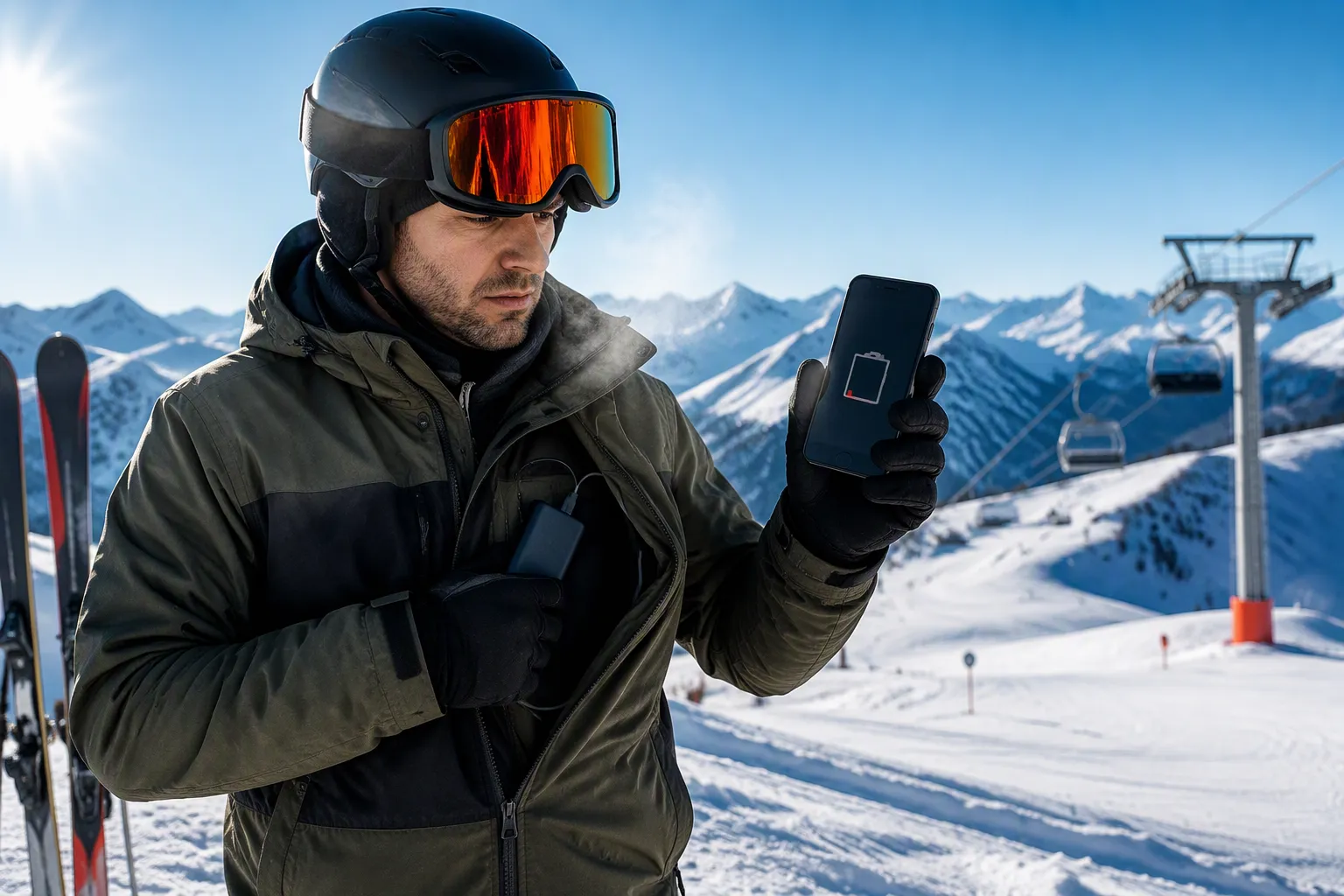
Cold is the first enemy you meet on the mountain, and it attacks your battery before you reach the first lift. Lithium-ion cells make charge through chemical reactions, and those reactions slow down as the temperature drops. Slower particle movement means less power and a smaller usable charge, so the battery struggles to give the energy your phone needs. Internal parts also shrink, which makes electron transfer between electrodes harder. The result is simple: your battery life falls fast, even when the gauge showed a healthy percentage in the parking lot.
Why Cold Drains Batteries
Picture the scene. You pull out your phone at the summit for a photo, and the screen shows 40%. Two minutes in the freezing wind and it drops to 25%. This is not a glitch. Cold temperatures lower both power output and charge acceptance, and the effect gets stronger below freezing. The same rule applies across battery types: a lead-acid battery loses roughly 20% of its capacity in normal to freezing weather, and about 50% at around –22°F. Your phone cell acts in a similar way, which is why battery life collapses on a cold chairlift ride.
A large battery matters here. Extra capacity gives you a buffer against that cold-driven loss, and it supports all-day battery life on long resort days. If you tour or ski in deep winter, a bigger cell can mean the difference between a dead phone at lunch and a phone that lasts until the last run.
You can also protect the battery you have. Keep the phone in an inside jacket pocket, close to your body, and it stays warm enough to hold charge. Carry a power bank for winter charging, and warm the phone before you plug it in. Charging a freezing battery stresses the cells.
Capacity and Temperature Ratings
Check three things before you buy. First, battery capacity: a larger cell supports long-lasting battery life and gives you room for cold losses. Second, the rated operating temperature range. Typical lithium-ion ratings look like this:
Charging range: 0°C to 45°C (32°F to 113°F)
Discharging (usage) range: –20°C to 60°C (–4°F to 140°F)
Long-term storage range: 15°C to 25°C (59°F to 77°F)
Safe charging comfort zone: 10°C to 40°C
Note the gap between the charging and discharging ranges. You can use the phone at –20°C, but you should not charge it there. Third, power-saving modes. A strong battery saver dims the screen, limits background apps, and stretches battery life through a full ski day. Together, these three checks tell you whether a phone can deliver all-day battery life in real cold, or just on paper. A model rated for multi-day battery life in mild conditions may still need a power bank on the slopes, so read the temperature rating as carefully as the capacity number.
Durability and Water Resistance
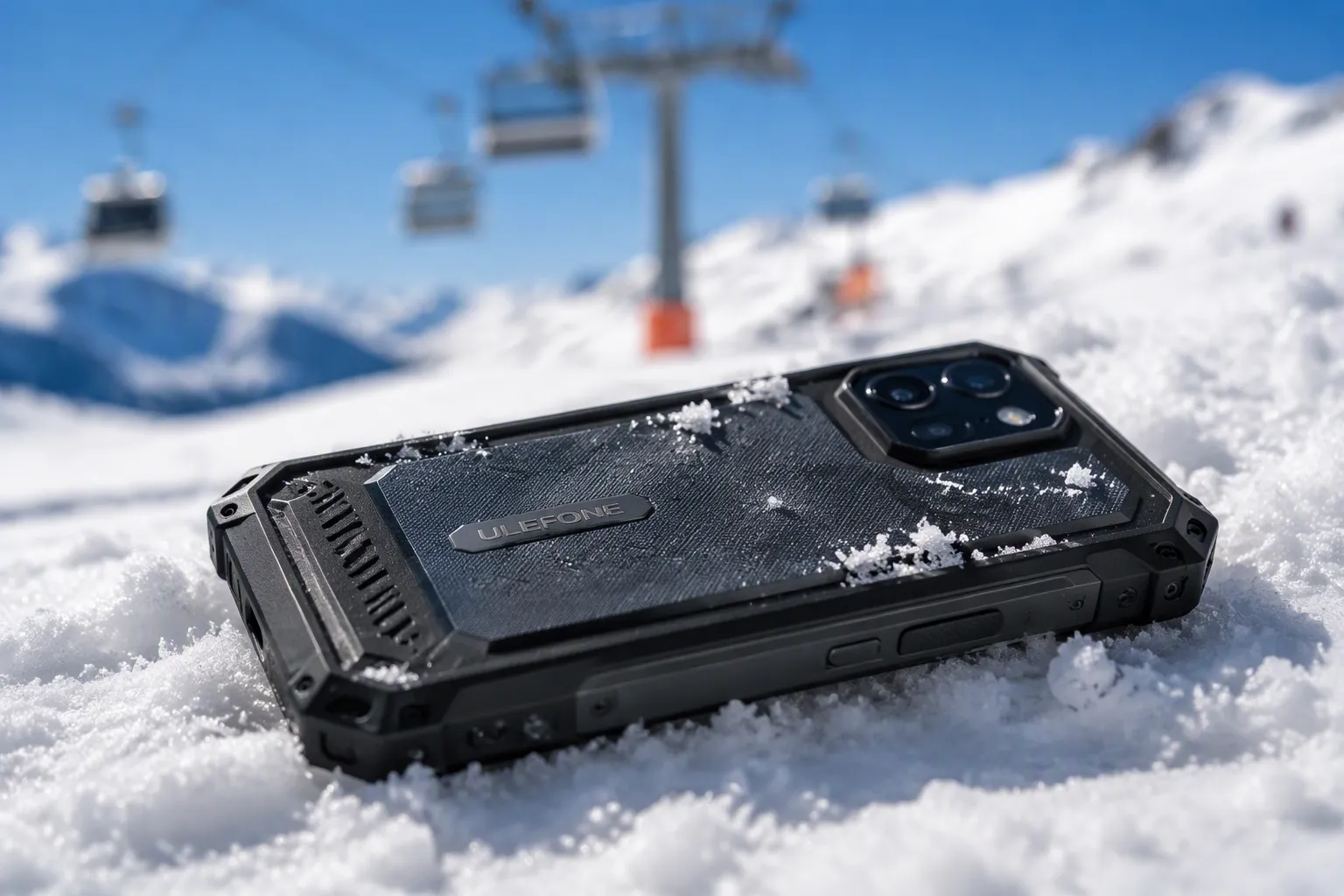
A ski day throws hard knocks at your phone. You fumble it at the lift line and it lands on packed snow. You set it down on an icy bench and it slides off. You take a fall and it tumbles out of your pocket. Durability is not a bonus feature on the mountain. It decides whether your phone survives the season.
Drop and Impact Resistance
Two hardware traits carry most of the load here: a shock-resistant frame and a shatter-resistant screen. The frame absorbs the energy of a fall and spreads it away from the internal parts. A reinforced frame with raised edges also keeps the glass off the ground when the phone lands face down. The screen matters just as much. A shatter-resistant panel resists cracking from corner strikes, and corners take the worst hits in a real fall.
Phone makers test this behavior in different ways. A controlled drop test, first devised by Nokia, drops a device from about 1 m (desk or hand height), with a worst case of roughly 1.5–1.8 m (5–6 ft, ear height). Engineers drop the phone on sides 1–6 and on its corners. At 1 m, the test expects zero failures. At 1.5 m, roughly a 1% display break rate is acceptable. A random tumble test runs 2–500 drops at 9–12 rpm from 0.5 m or 1 m, which mimics the bouncing, tumbling strikes of a real fall. Package tests such as ISTA-2a cover the shipping box, not the phone in your pocket.
Test / Standard |
Typical Height |
Applies To |
Notes |
|---|---|---|---|
Controlled drop test (originally by Nokia) |
~1 m (desk/hand height); worst-case ~1.5–1.8 m (5–6 ft, ear height) |
Smartphones / consumer electronics |
Custom test plan; drop on sides 1–6 and corners; 1 m = zero failures, 1.5 m = ~1% display break acceptable |
Random tumble test |
0.5 m or 1 m; 2–500 drops at 9–12 rpm |
Smaller products like mobile phones |
Simulates random tumbling and bouncing strikes on corners and sides |
Package drop test (ISTA-2a) |
Predetermined height (e.g., ~0.5 m) |
Packaged product during transport |
Simulates transport and handling; also covers vibration, compression, and atmospheric conditioning |
Formal standards (IEC, MIL-STD, etc.) |
Varies |
Aeroplanes, medical devices, some military devices |
Standards exist for these products; phone engineers typically devise custom test plans instead |
Read these tests as evidence, not as a guarantee. No phone is drop-proof, and a hard fall onto rock or ice can still break any device. Check the official specs for the drop height and test method a maker publishes. A phone with a stated drop rating and a reinforced frame gives you a real margin on snow and ice. A slim phone with an exposed glass edge gives you very little.
IP Ratings for Snow and Moisture
Snow and moisture reach your phone in ways you may not notice. Wet gloves smear water across the screen. Snow melts in a warm pocket and soaks the port. Spray from a fall or a slushy lift ride lands on the body. An IP rating tells you how well a phone handles this exposure.
The letters stand for Ingress Protection. The first digit covers solids, such as dust and grit. The second digit covers liquids. A higher number means more protection in that category. An ip68 rating means full dust protection at level 6 and protection against continuous immersion in water. The manufacturer sets the exact depth and duration, so the test conditions vary by brand. An IP69K rating also gives full dust protection, and it adds resistance to high-pressure, high-temperature water jets. That test uses jets at about 80 °C and 80–100 bar (roughly 1,160–1,450 psi), sprayed from 10–15 cm at multiple angles, as defined in ISO 20653. A device can carry both ratings when it must survive flooding and pressure washing.
Rating |
Dust Protection |
Water Protection |
Test Conditions |
|---|---|---|---|
IP68 |
Complete (level 6) |
Protected against continuous immersion; depth and duration set by manufacturer |
Static water pressure, ambient temperature; commonly 1 m+ for 30 min+ (varies by brand) |
IP69K |
Complete (level 6) |
Protected against high-pressure, high-temperature water jets |
Jets at |
For skiing, an ip68 rating covers the realistic threats: melted snow, a wet pocket, and a brief dunk in a slush puddle. Water resistance is a plus on the slopes, and it pairs well with a sealed port cover and a tight build. Treat the rating as a limit, not a license. No phone is 100% waterproof, and a damaged seal or a worn port cover can let water in. Check the official spec sheet for the rating and its stated test conditions.
Build quality ties these two traits together. A phone with a solid frame, a sealed body, and a textured back gives you better grip in a gloved hand, and that grip prevents many drops before they happen. Look for a stated IP rating, a published drop test result, and a frame that protects the screen edges. Those three checks tell you more about real durability than a thin spec sheet or a stylish finish.
Glove-Friendly Screens and Cameras
Your gloves stay on all day. Every screen tap, every map check, and every summit photo happens through a layer of insulation. A phone that ignores gloved fingers makes you bare your hands in freezing wind. That is a comfort problem and a safety problem at once.
Touchscreens That Work With Gloves
Conductive fingertips register touch on any device. You can clear notifications, take a call, or check a work order while your hands stay warm. Insulated winter touchscreen gloves hold body heat and keep finger sensitivity. Materials like insulated synthetics or goatskin leather give warmth without too much bulk. Accuracy depends on the quality of the conductive fibers woven into the fingertips. High-end gloves hold steady sensitivity even after long use, with natural, responsive gestures.
Test your glove and phone pairing before you commit to a model. Pull up a trail map, pinch to zoom, and type a short message with the gloves on. A responsive screen and a good pair of gloves give you near bare-hand precision for GPS adjustments and quick notes. Pair that with a bright screen and high screen brightness, and you can read the display with a quick glance instead of a long stare.
Camera Performance in Bright Snow
Snow fools a camera meter. The sensor reads all that white as middle gray and underexposes the frame, so your summit photo comes out dull. Dial exposure compensation toward plus, roughly +1 to +2 stops, and the snow returns to white. Lock exposure on a neutral subject, such as gray rock or blue sky, and the camera holds that reading. Manual mode with spot metering gives you full control, and a snow or sand scene mode does the same job automatically.
Keep the ISO low, around 100 to 200, on sunny winter days. A white balance setting of cloudy or sunny corrects the blue cast. Check the histogram and highlight alerts while you shoot, and lean the exposure right without clipping. Shoot RAW when you want to recover highlights later. For a blurred background, open the aperture to f/2.0 and separate your subject from the snow behind it. A lens hood keeps snow off the glass.
Connectivity and Offline Navigation
When you go behind a ridge, the signal drops and your trail map goes with it. Offline navigation keeps you on track when the network is gone. Many android phones do this well, and the right software and security updates keep those tools working. Check GPS accuracy first. A test route of about 3.5 km at 40–166 m altitude had a maximum error of 10 m in clear, high-visibility conditions. Valleys are a different story.
Condition |
GPS Accuracy Observation |
|---|---|
High altitude, good visibility |
Very high accuracy; maximum error of 10 m |
Near base stations or radio towers at peaks |
Accuracy got worse from interference and a higher noise floor |
Valleys between mountains |
Not accurate from multipath propagation and poor satellite visibility |
Remote mountains without mobile signal |
Not clear; corrections depend on the nearest base station |
Multipath propagation in valleys is the main source of error. Interference from broadcast towers near peaks makes the fix worse. Smartphone GPS also relies on corrections from the nearest mobile base station, and many mountain areas lack that signal. Treat the map as a guide, not a guarantee.
GPS and Offline Maps on Android Phones
Download your maps before you leave the lodge. The most reliable setup on android phones uses two apps. Organic Maps or OsmAnd gives you visual context and a view of what is around you, and both need a region pack downloaded first. SkyLocation names the nearest city or country with zero prep, which covers the case where you forgot an area or went off its edge. OsmAnd's free version limits you to 7 downloads, and HERE WeGo covers offline transit in 1,900+ cities. Keep software and security updates current on your android phones so these tools run smoothly.
Portable Size and Weight
Pocket storage decides whether you carry the phone or leave it behind. A compact body slides into a chest pocket and sits flat against your layers. Weight matters on long tours, where every gram adds up. A lighter phone also gives you better grip in a gloved hand. Compare dimensions and weight across android phones before you buy, and confirm the display size suits one-handed checks. A large screen helps map reading, yet a smaller display fits pockets more easily. Regular software and security updates matter too, since map apps rely on current system libraries. Read the spec sheet for battery capacity as well, because navigation drains it fast.
Why a Rugged Phone Is the Best Phone for Skiing
A normal top-tier phone is built to be thin and light. A rugged phone is built for the mountain. That trade works in your favor on snow. Rugged models pair big batteries with sealed bodies, strong frames, and screens made for gloved hands. You face fewer problems in the cold and have more room for error when the phone hits ice.
Matching the 7 Features to Blackview Rugged Phones
Blackview rugged phones are one good option among many. The XPLORE 1 Pro, for instance, lists a 20,000 mAh battery with 55W charging and 5W reverse charging. It also lists IP68/IP69K and MIL-STD-810H ratings and Gorilla Glass 5. Check the official spec sheet for the exact test conditions behind each rating. Keep in mind that IP68 covers long immersion, while IP69K covers high-pressure, hot-water washing. The two test different threats, so neither one replaces the other.
Battery capacity by itself does not settle the question. A 23,800 mAh battery charging at 33W takes longer to fill than a 10,600 mAh battery charging at 120W. Put capacity first for multi-day trips with no power access. Put charging speed first for single-day resort visits with a reliable outlet.
Prioritizing Features for Your Ski Style
Your skiing style sets the order. Freeriders who film descents should balance battery, durability, and usability in one body. A heavy phone with a big battery and a bright display suits long backcountry days, yet it weighs on your pocket. Tourers who climb for hours should rank battery life and cold ratings highest. Resort skiers who shoot summit photos should rank the camera system and a glove-friendly screen highest. Look for a high-refresh display, physical buttons, and a camera that handles bright snow. The screen and camera matter most when you stop moving.
Compare any model against this checklist before you buy. Browse Ski-Ready Rugged Phones as a starting point, then check the battery, display, screen, and camera system specs yourself.
Keep this checklist nearby before you buy the best phone for skiing:
Battery that works in cold weather, with a listed temperature range
A frame that resists shocks and a screen that resists shattering
An IP68 or IP69K rating for snow and wet conditions
A touchscreen that works with gloves on
A camera that handles bright snow well
GPS with maps you can use offline
A small body that fits in a pocket
Your ski style decides what matters most. Tourers and skiers in extreme cold should rank battery life and temperature ratings at the top. Resort skiers who take summit photos should put the camera and a glove-friendly display first. Freeriders who film should balance battery, durability, and ease of use. Everyone should treat water resistance and durability as must-haves.
Look at Blackview rugged phones as one choice, then compare each spec against this list before you buy.
FAQ
How much battery life do you lose in cold weather?
Cold slows the chemical reactions inside a lithium-ion battery. At –18°C (0°F), you get roughly 50% of baseline capacity. A large battery gives you a buffer against that loss. Keep the phone in an inside jacket pocket, carry a power bank, and warm the phone before you charge it. Check the rated operating temperature on the spec sheet.
Do you need a waterproof phone for skiing?
Snow melts in warm pockets and reaches ports and seams. An IP68 rating covers brief immersion, and IP69K adds resistance to high-pressure hot-water jets. Treat either rating as a limit, not a license. No phone is fully waterproof. Read the official test conditions for the rating before you buy.
Can you use the touchscreen with gloves on?
Conductive fingertips in winter gloves register touch on most modern screens. Test the pairing before you buy. Pull up a trail map, pinch to zoom, and type a short message with your gloves on. A responsive screen and a bright display let you check the map with a quick glance instead of bare hands in freezing wind.
Does the camera handle bright snow well?
Snow tricks the meter into underexposing the frame. Dial exposure compensation toward plus, roughly +1 to +2 stops, and lock exposure on gray rock or blue sky. Keep ISO low on sunny days. Check the histogram while you shoot. A camera with manual controls gives you more room to fix a dull summit photo.
Can you navigate without a signal on the mountain?
Download offline maps before you leave the lodge. Organic Maps or OsmAnd gives you visual context, and both need a region pack first. GPS accuracy in clear, high-visibility conditions showed a maximum error of 10 m in one test route. Valleys suffer from multipath propagation and poor satellite visibility. Treat the map as a guide, not a guarantee.